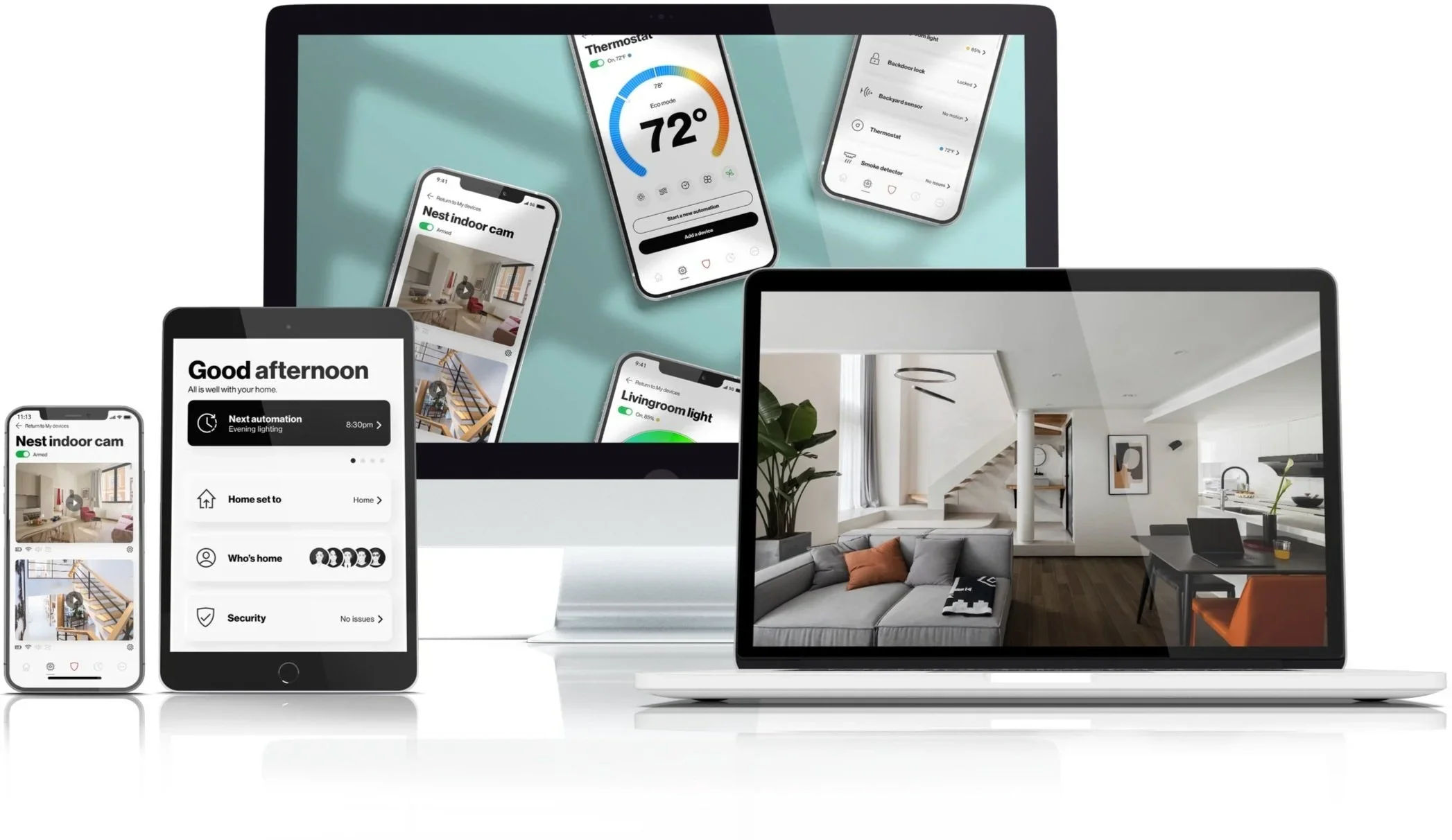
Smart Home App
A friendly mobile app that brings all your smart home devices into one simple, beautiful control center. Focus: seamless discovery, effortless onboarding, clear device state, and predictable automations
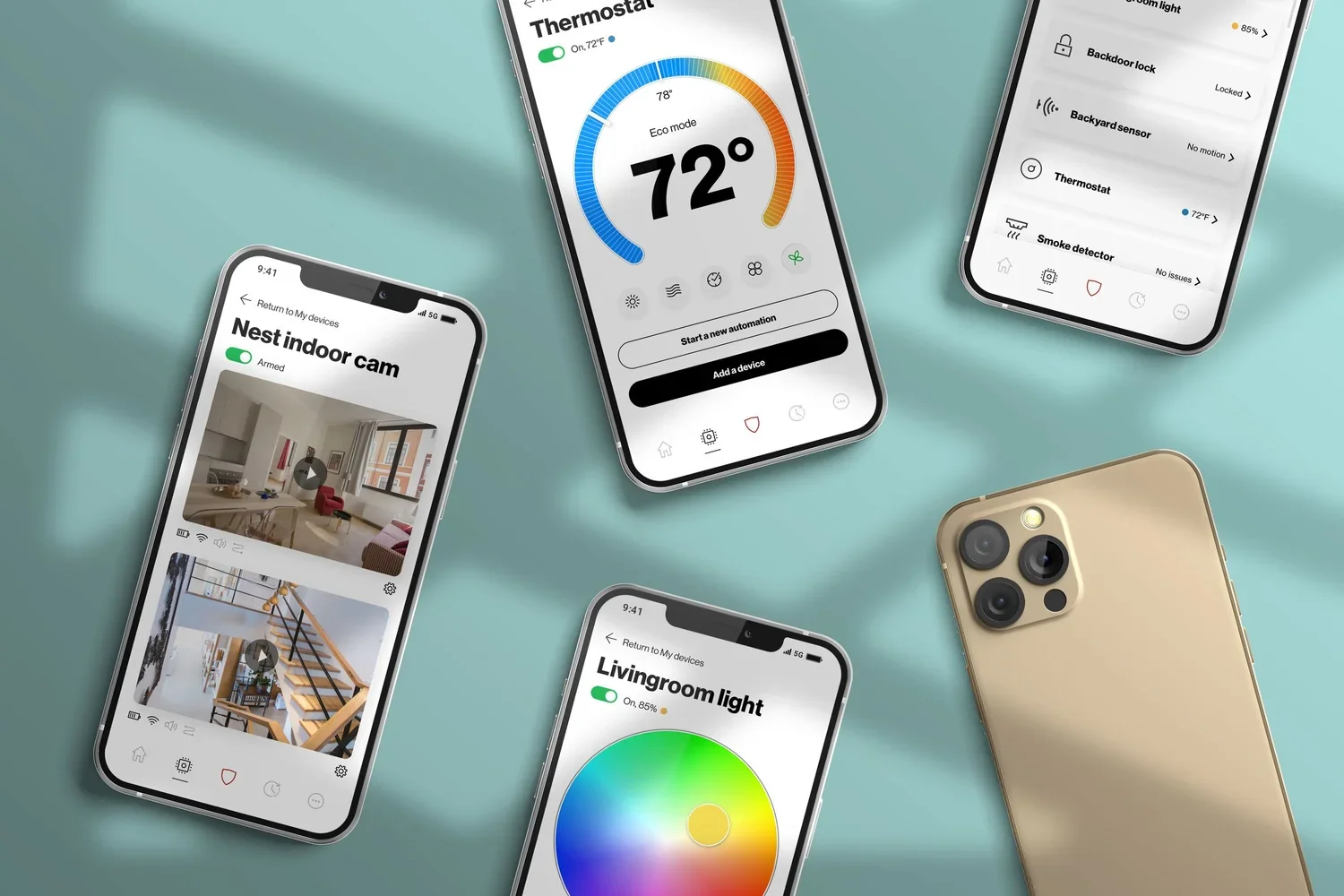
Design goals
Reduce cognitive load: present only relevant controls and contextual actions.
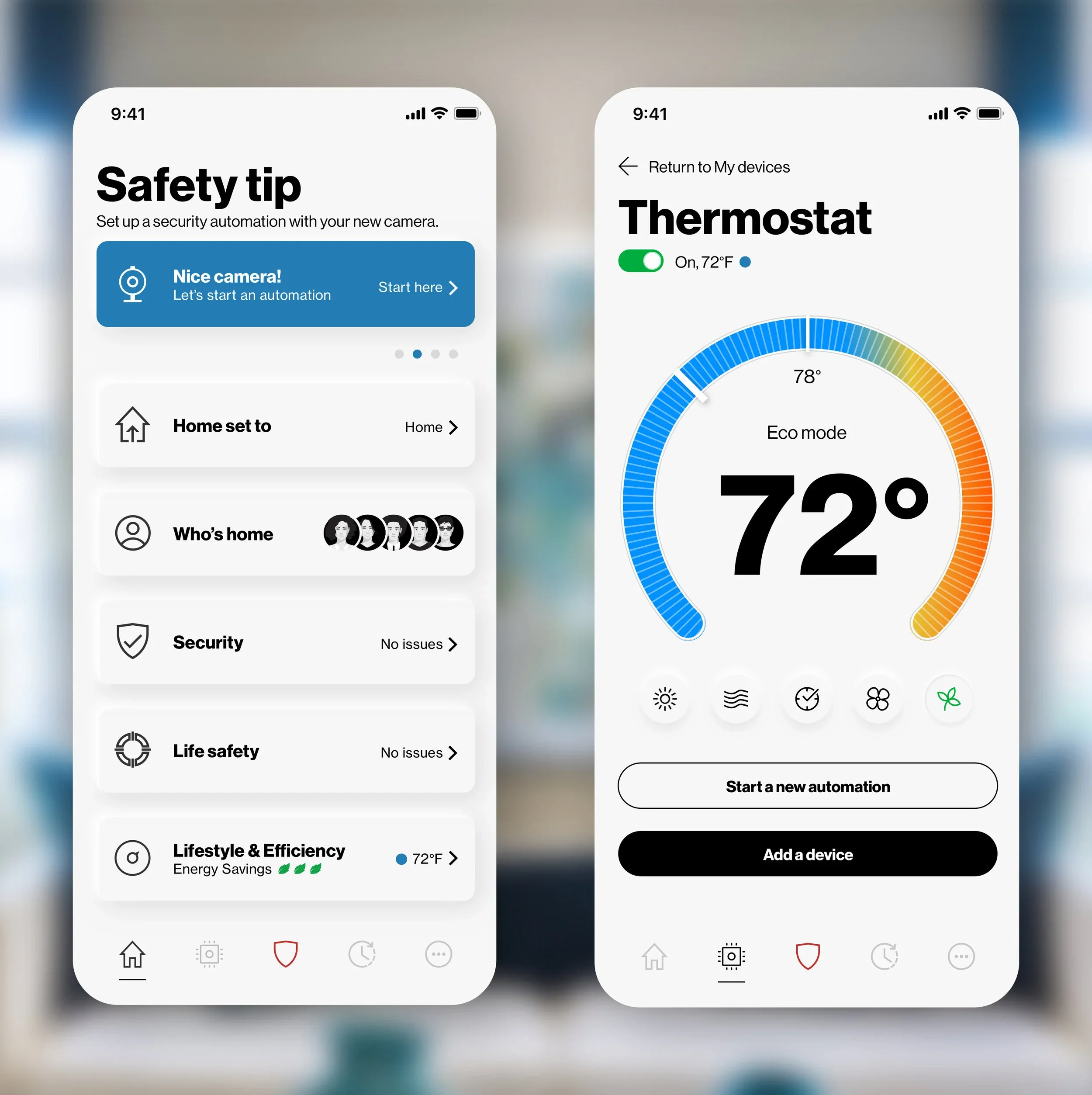
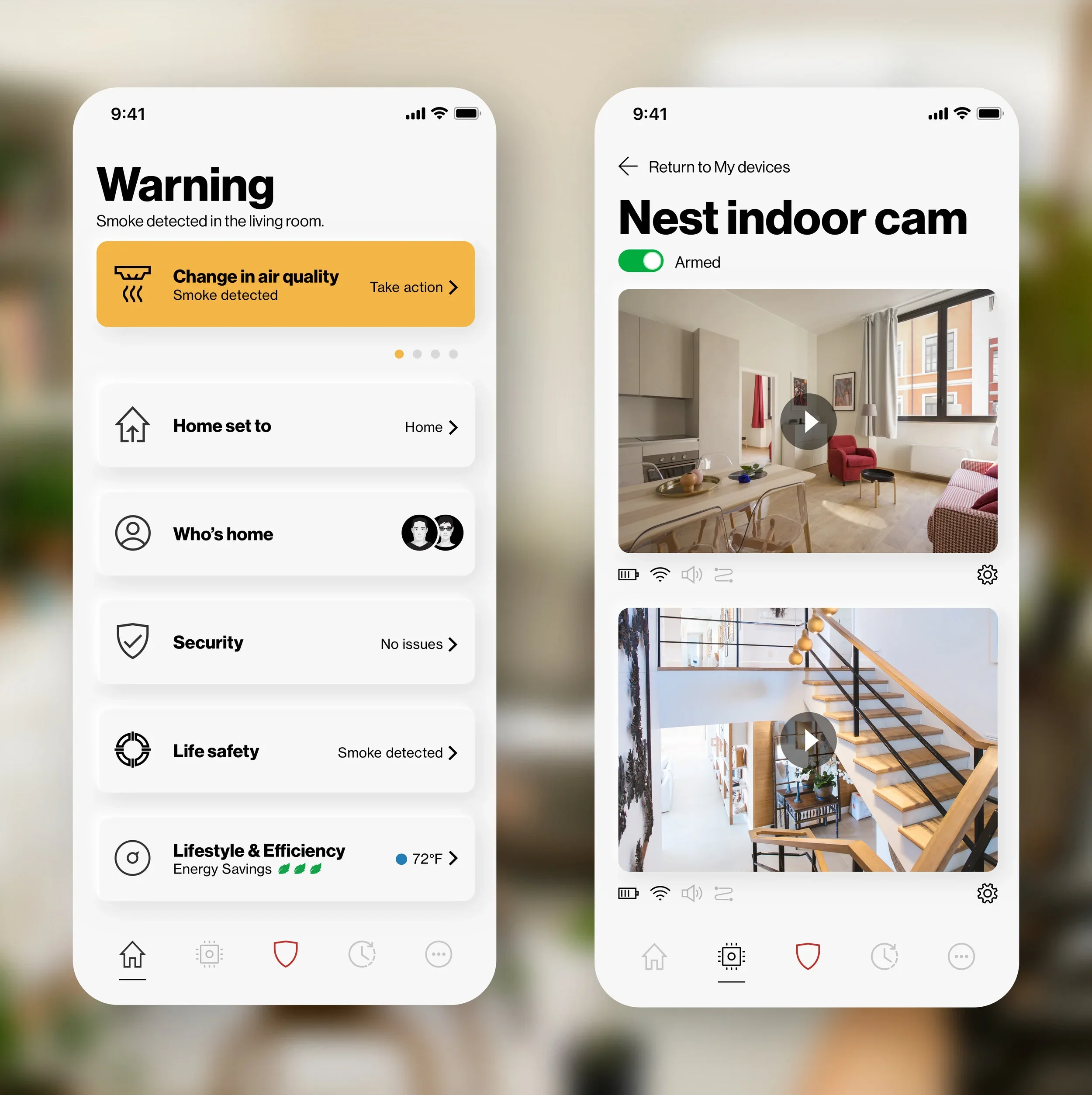
Make device state obvious and trustworthy at a glance.
Guide non‑technical users through onboarding with clear language and visuals.
Enable power users to create rich automations without complexity.
Delight: small moments of personality (microcopy, animations, subtle sounds).
Key scenarios
First-time setup: discover devices and get everything working in 5 minutes.
Daily control: glance, tap, or use voice to change scenes.
Shared homes: invite family members with role-based permissions.
Offline resilience: known automations continue even if internet dropss
Persona 1: The First-Time Smart Home User
Wants to set up smart devices without feeling confused. Needs simple onboarding, clear language, and step-by-step guidance.
Persona 2: The Busy Homeowner
Wants quick control over lights, thermostat, cameras, and other devices. Needs clear device status, easy shortcuts, and reliable daily controls.
Persona 3: The Family Manager
Shares smart home access with family members, guests, or roommates. Needs simple permissions, role-based access, and a clear activity timeline.
Persona 4: The Automation Power User
Wants to create custom scenes and automations without too much complexity. Needs templates, visual flows, previews, and advanced settings when needed.
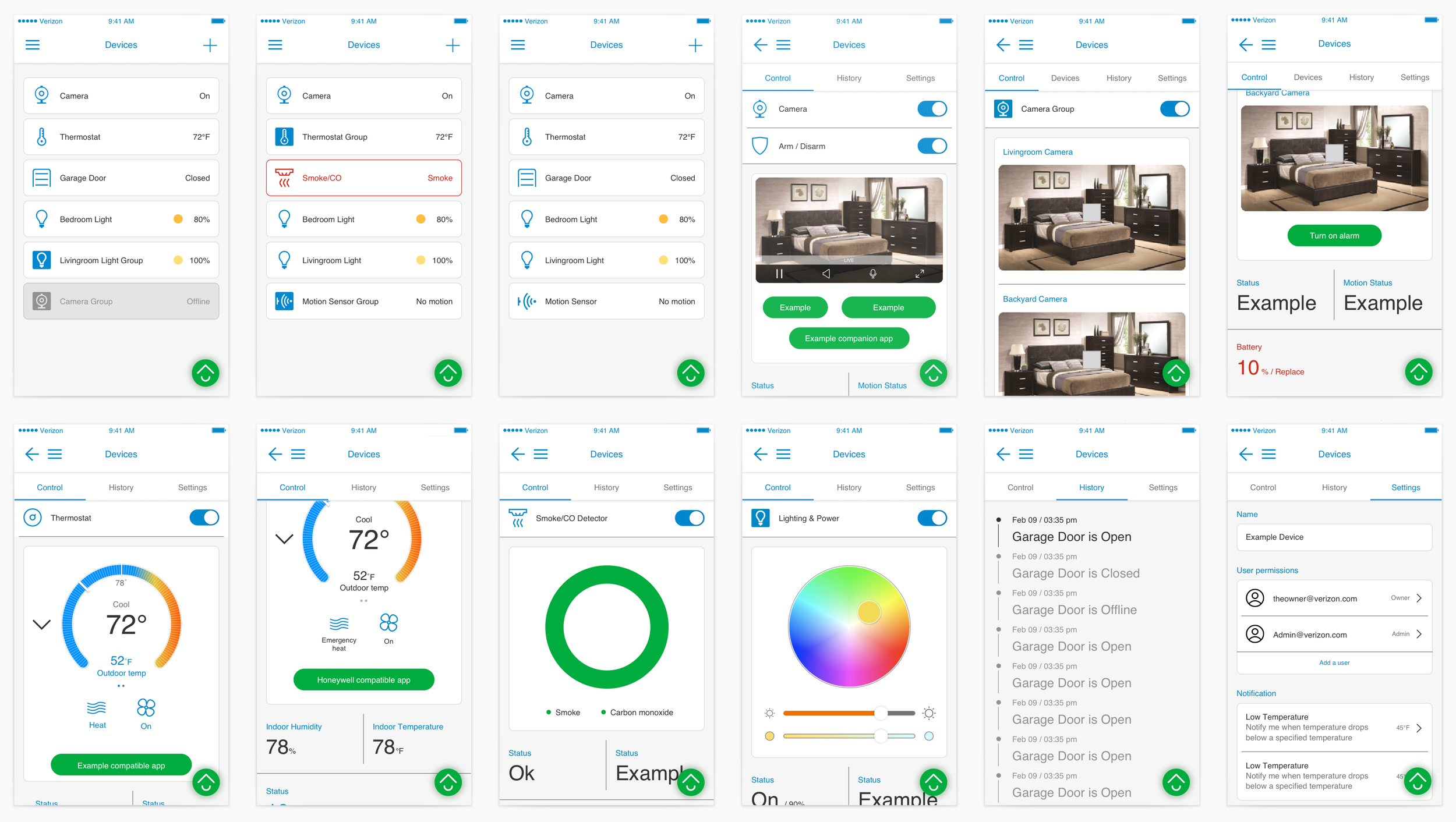
Visual language & interaction
Clean, warm palette (soft neutrals + accent color for active state).
Rounded UI elements, generous spacing, tactile shadows.
Micro-interactions: toggle transitions, state-confirmation toasts, brief haptics on mobile.
Accessible typography and contrast; large tappable areas; support for dynamic type and voice-over.
Automations & scenes (designed for humans)
Scenes: visual editor — drag devices into a scene, set a mood with sliders (brightness, color), preview button.
Automations: natural-language builder with a visual flow:
When [sunset] and [everyone away] → Then [turn off lights], Else [keep on]
Offer templates (“Coming Home”, “Goodnight”) and AI-suggested automations based on usage patterns.
Test mode: simulate triggers and preview outcomes before saving.
Local vs. cloud toggle shown only when necessary (advanced settings), with short explanations.
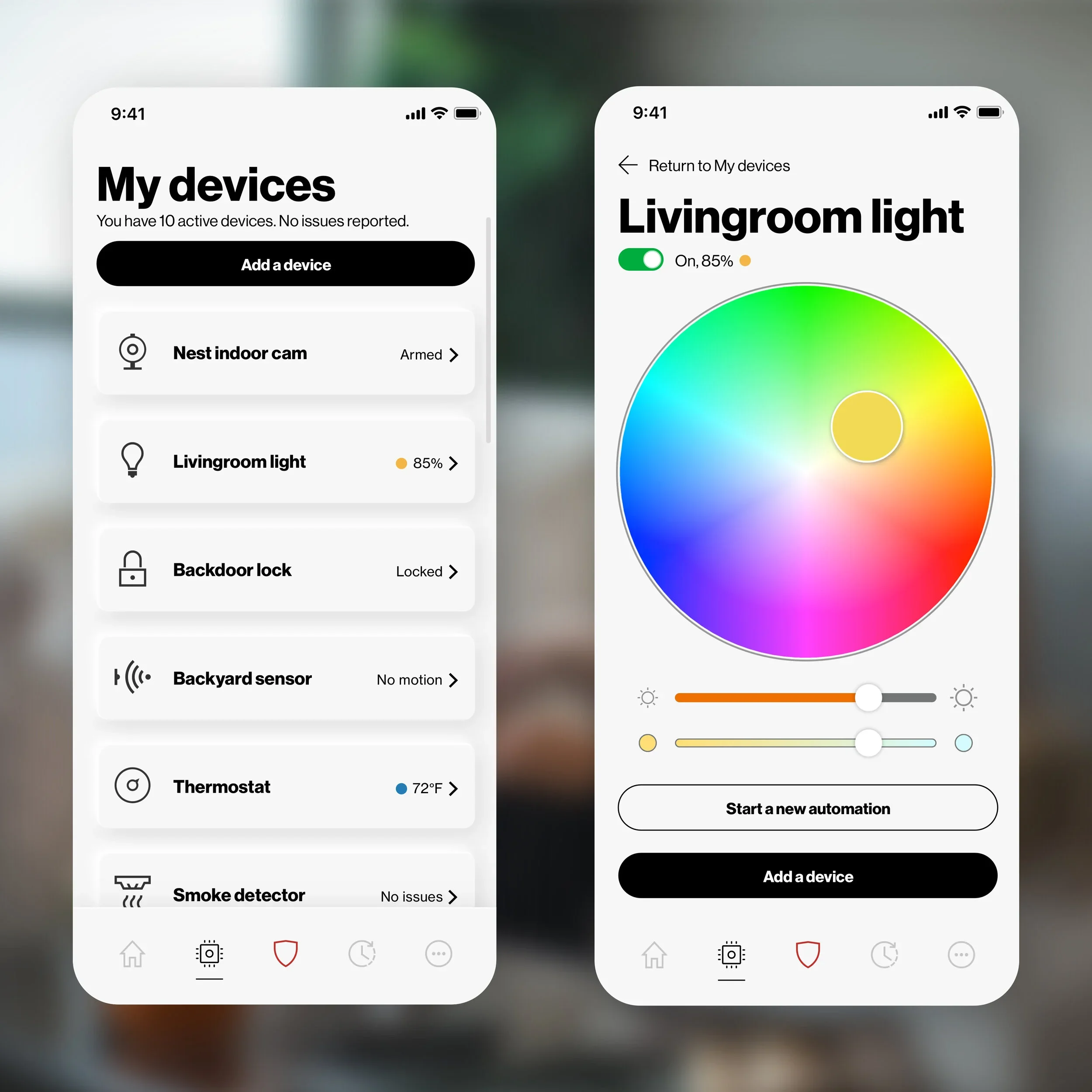
Sharing, permissions & privacy
Share home access via invite link or email with clear roles: Admin, Member, Guest.
Privacy center: easy-to-read summary of what’s synced to cloud, with toggles for telemetry and integrations.
Activity timeline: human-readable feed of recent events (e.g., “Front door unlocked by Emma at 8:02 AM”).
Branding & tone
Voice: calm, helpful, slightly playful.
Microcopy examples: “Lights dimmed — looking cozy.”; “You’re all set — your devices are talking to each other.”